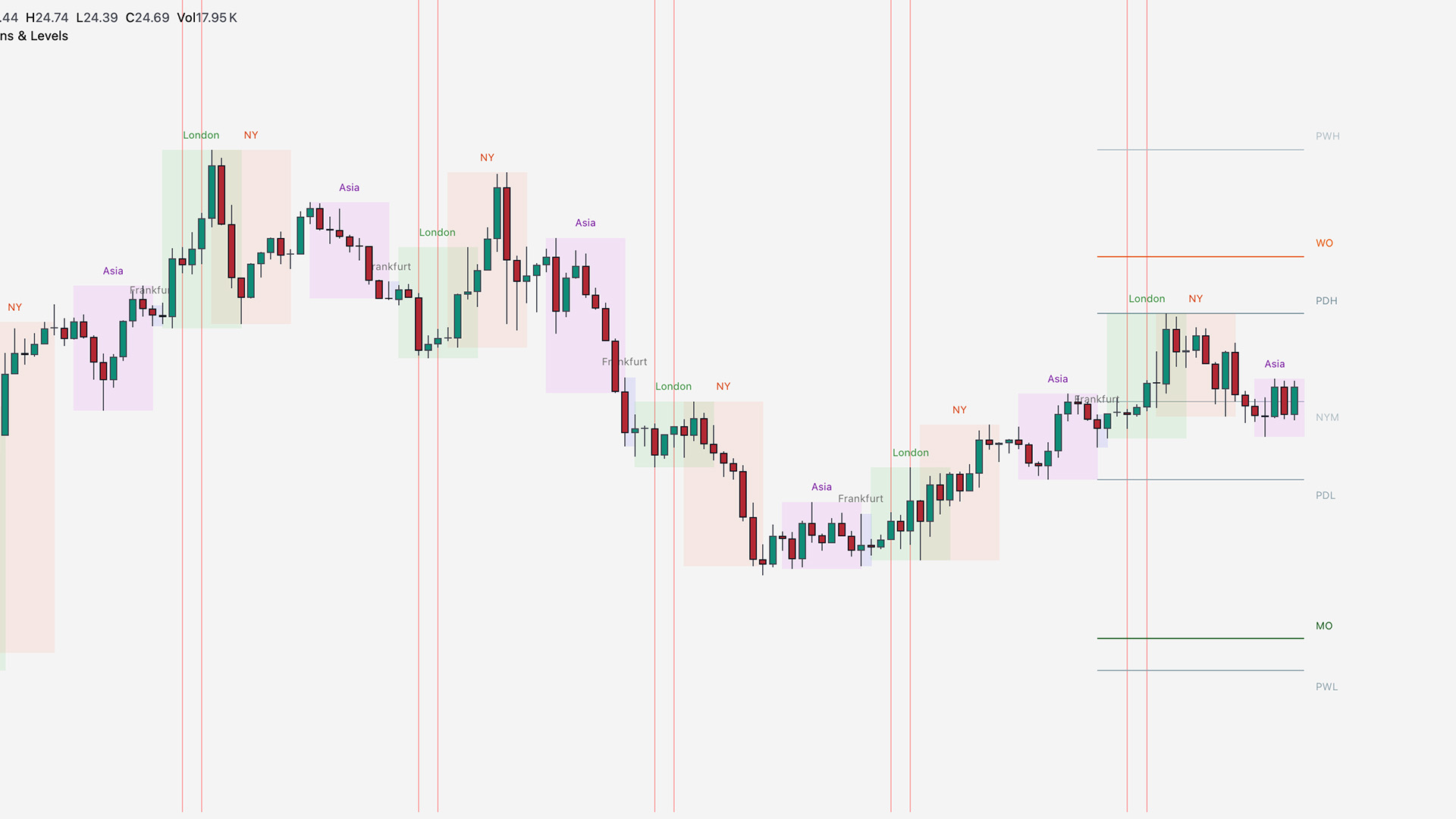
Smart Money Concepts – Trading Sessions & Key Levels
This indicator combines major trading sessions with essential intraday and higher-timeframe reference levels, helping you keep your chart organized and focus on the price levels that matter.
By default, the session color scheme is designed to remain clearly visible on both light and dark chart themes while maintaining a neutral, non-distracting appearance.
Trading Sessions
The indicator displays four major trading sessions:
- Asia
- Frankfurt
- London
- New York
Each session has individually customizable colors and settings.
You can choose between two visualization modes:
- Background Shading – The default mode, providing a clean and subtle session highlight.
- Box Mode – Displays sessions as defined boxes with borders.
Session times can be configured using your preferred time zone. You can use the automatic UTC settings or manually adjust each session to match your local trading schedule.
You can also disable session visualization entirely with one click, leaving the chart clean while continuing to use the key reference levels.
Key Intraday Levels
The indicator includes three important reference levels:
- Previous Day High (PDH)
- Previous Day Low (PDL)
- New York Midnight (NYM)
These levels provide useful reference points for intraday analysis, helping you identify potential liquidity areas and monitor price reactions during major trading sessions.
Both level visibility and line colors can be customized according to your preferences.
Higher-Timeframe & Opening Levels
You can independently enable or disable the following levels:
- Previous Week High (PWH)
- Previous Week Low (PWL)
- Yearly Open
- Monthly Open
- Weekly Open
- Daily Open
The Extend option allows you to project these opening levels further across the chart, making them easier to monitor as price develops.
This gives you the flexibility to display only the levels relevant to your trading approach.
London KillZone
The indicator also includes an optional KillZone visualization for the London session.
You can enable or disable it directly from the settings and customize its visual appearance to match your chart layout.
Customization & Chart Appearance
The indicator is designed to adapt to different trading styles and chart preferences.
You can customize:
- Individual session colors.
- Key level line colors.
- Session time zones and schedules.
- Background Shading or Box Mode.
- Visibility of individual reference levels.
- Extension of opening levels.
- London KillZone appearance.
Design Philosophy
The goal is to simplify your trading workflow without overwhelming your chart with unnecessary visual elements.
Whether you prefer a complete session-based layout with multiple reference levels or a minimal chart displaying only the most important price levels, the indicator gives you the flexibility to build your own workspace.
One indicator. Major trading sessions. Essential price levels. A cleaner trading workflow.